【工作】openGauss-安装
创建安装用户
openGauss禁止root安装,请提前准备一个linux用户如omm且授予全部权限,便于后续操作(注意后续的路径为omm账用户的,其他用户自行调整)
1、创建用户
sudo useradd -m omm2、为用户设置密码
sudo passwd omm3、修改 /etc/security/limits.conf
omm soft nofile 1000000
omm hard nofile 10000004、重新登录生效
开放防火墙端口
sudo firewall-cmd --add-port=5432/tcp --permanent
sudo firewall-cmd --reload安装库
查看是否已安装libtool 动态加载库
sudo find / -name "libltdl.so*"如果创建B模式的数据库缺少libtool 动态加载库会报错,因此如果没有的话需要提前安装
sudo yum install libtool-ltdl下载安装包
官网:https://opengauss.org/zh/download/?version=lts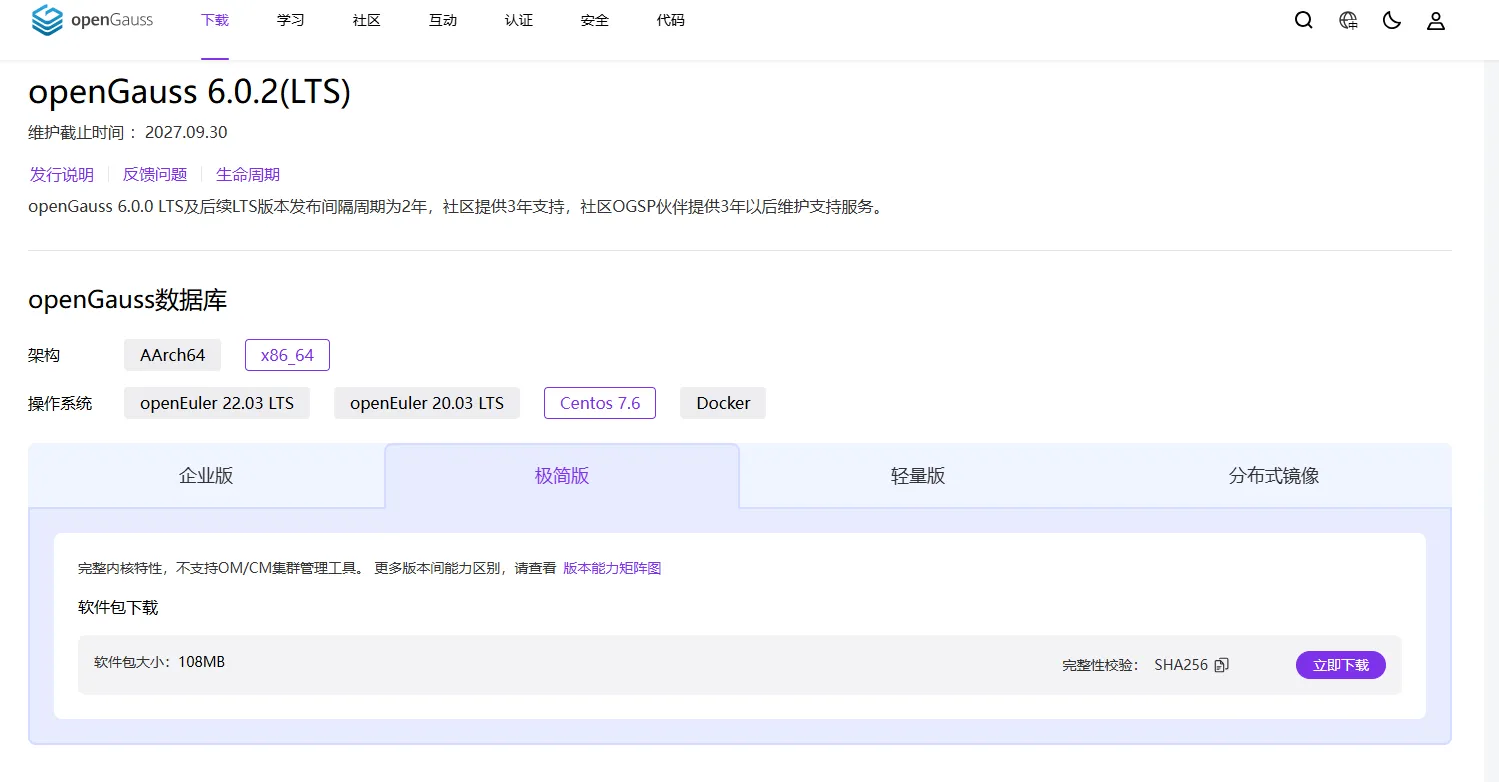
选择LTS长期维护版本openGauss 6.0.2(LTS),下载安装包到路径/home/omm/openGauss/
解压安装包
输入以下命令解压,如果报错tar (child): bzip2: Cannot exec: No such file or directory需通过执行yum install -y bzip2 安装bzip2依赖包,安装完成后,再次运行解压命令
tar -jxf openGauss-Server-6.0.2-CentOS7-x86_64.tar.bz2安装
进入到simpleInstall文件夹执行安装命令,your_actual_password替换为实际的密码
sh ./install.sh -w your_actual_password安装执行完成后,使用ps和gs_ctl查看进程是否正常
ps ux | grep gaussdb
gs_ctl query -D /home/omm/openGauss/data/single_node/如果进程没有正常启动,需要手动启动
[omm@localhost bin]$ ./gs_ctl restart -D /home/omm/openGauss/data/single_node/如果执行启动报了以下错误,是因为缺少 openGauss 依赖的动态库 libreadline.so.7(readline 库)或者没有该版本
[omm@localhost bin]$ ./gs_ctl restart -D /home/omm/openGauss/data/single_node/ ./gs_ctl: error while loading shared libraries: libreadline.so.7: cannot open shared object file: No such file or directory先查看是否有安装
ldconfig -p | grep readline我的系统只有libreadline.so.8,所以需要通过软连接的方式进行解决
sudo ln -s /usr/lib64/libreadline.so.8 /usr/lib64/libreadline.so.7
sudo ln -s /usr/lib64/libhistory.so.8 /usr/lib64/libhistory.so.7如果执行启动报了以下错误,是因为/home/omm/openGauss/data/single_node/目录不存在,需要我们手动初始化数据库实例
[2025-10-24 15:55:22.208][611623][][gs_ctl]: gs_ctl restarted ,datadir is /home/omm/openGauss/data/single_node
[2025-10-24 15:55:22.208][611623][][gs_ctl]: can't create lock file "/home/omm/openGauss/data/single_node/pg_ctl.lock" : No such file or directory
[omm@localhost bin]$创建数据目录
mkdir -p /home/omm/openGauss/data/single_node
chown -R omm:omm /home/omm/openGauss/data
chmod 700 /home/omm/openGauss/data/single_node初始化数据库实例
gs_initdb -D /home/omm/openGauss/data/single_node --nodename sgnode -U omm连接数据库
进入到bin文件夹/home/omm/openGauss/bin/,执行连接数据库命令
./gsql -d postgres -p 5432 -U omm
连接成功,本地连接默认不用密码
设置密码
your_secure_password替换为实际密码
ALTER ROLE omm PASSWORD 'your_secure_password';验证
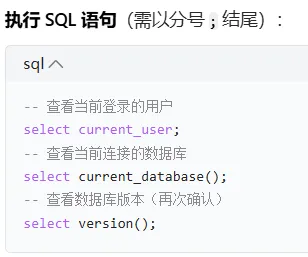
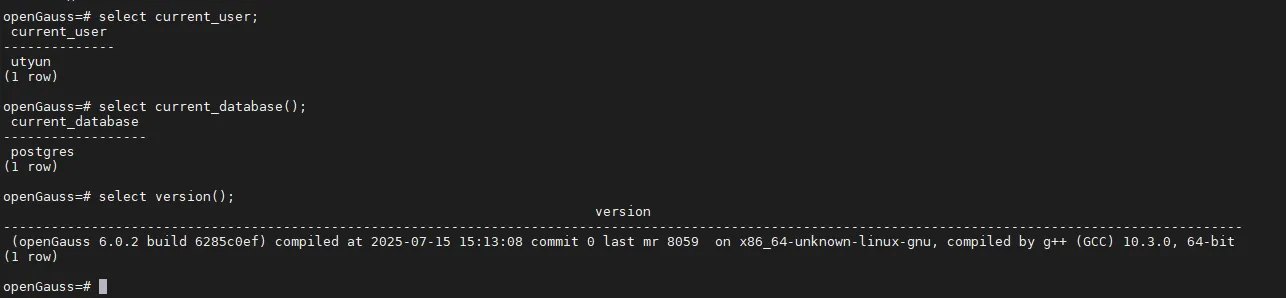
配置
- 修改postgresql配置文件,放开监听地址,允许远程访问
vi /home/omm/openGauss/data/single_node/postgresql.conf将#listen_addresses = 'localhost'改为listen_addresses = '*' 2. 修改pg_hba配置文件,增加远程访问权限
vi /home/omm/openGauss/data/single_node/pg_hba.conf在末尾追加
host all all 0.0.0.0/0 sha256创建数据库
连接数据库后执行创建isolator数据库命令
CREATE DATABASE isolator DBCOMPATIBILITY 'B';创建用户
创建用户
CREATE USER isolator WITH PASSWORD 'Ut123456' CREATEDB;
切换到isolator
\c isolator;
分配权限
GRANT ALL PRIVILEGES ON all tables in schema public TO isolator;
grant all privileges on isolator test_db to isolator;
GRANT ALL PRIVILEGES TO isolator;
退出终端
\q其他命令
启动/重启数据库
./gs_ctl restart -D /home/omm/openGauss/data/single_node/
关闭数据库
./gs_ctl stop -D /home/omm/openGauss/data/single_node/
其它
mac安装数据库管理工具dbeaver连接openGauss数据库
https://blog.csdn.net/Katharsis_Tk/article/details/138305306